

Description
Product Overview
GIMP is a robust, open‑source image editing platform that has been refined for both hobbyists and professionals. Developed by Markt Technik, this edition bundles the core GIMP application with a massive supplemental library, providing users with 20,000 high‑resolution clip art images and 10,000 ready‑to‑use photo frames. The software supports a wide range of file formats, from JPEG and PNG to RAW and TIFF, ensuring seamless integration into existing workflows. Its interface is fully customizable, allowing users to arrange toolbars, dockable dialogs, and shortcuts to match personal preferences, which enhances productivity and reduces the learning curve for new users.
Beyond the core editing capabilities, the package includes a comprehensive 900‑page PDF manual that walks users through basic adjustments, advanced compositing techniques, and scripting automation. Free email support from Markt Technik’s technical team is also provided, offering prompt assistance for installation issues, feature queries, and troubleshooting. The software is optimized for modern hardware, leveraging multi‑core processors and GPU acceleration where available, resulting in smooth performance even when handling large, high‑resolution files.
Compatibility spans the latest operating systems, including Windows 11, 10, 8.1, 8, 7, Vista, and XP, as well as macOS versions up to the current release. This broad support ensures that users with older machines can still benefit from the powerful features without needing to upgrade their hardware. The installation package is lightweight, requiring less than 200 MB of disk space, and the program runs efficiently on systems with as little as 1 GB of RAM, making it accessible to a wide audience.
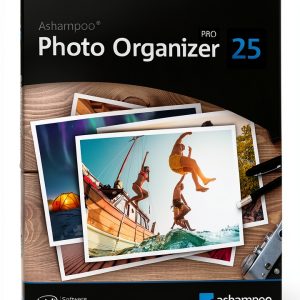
![[Product front view showing all components]](https://www.olympusgo.store/wp-content/uploads/2026/06/b94392748daf4c479a948cbc685ac099.jpg)
Usage
GIMP excels in a variety of creative scenarios. Photographers can use its advanced color correction tools, layer masks, and batch processing scripts to streamline the editing of large image collections. Graphic designers benefit from the extensive clip art library, which provides ready‑made assets for marketing materials, social media graphics, and website mockups. The inclusion of 10,000 photo frames enables quick creation of collages, portfolios, and themed presentations without the need for external plugins.
Educators and students find GIMP an ideal teaching tool for digital art courses, as it offers a professional‑grade environment without licensing costs. The software’s open architecture encourages experimentation with custom brushes, filters, and plug‑ins, fostering a learning environment that promotes technical skill development. Additionally, the program’s compatibility with both Windows and macOS allows collaborative projects across mixed‑platform teams, ensuring that files can be shared and edited without compatibility concerns.
For hobbyists, GIMP provides an accessible entry point into photo retouching, meme creation, and personal artwork. The intuitive interface, combined with the extensive documentation, enables users to quickly master essential functions such as cropping, resizing, and applying artistic effects. The bundled email support ensures that any roadblocks encountered during creative projects can be resolved promptly, keeping the creative flow uninterrupted.
Why Choose Us
Choosing GIMP from Markt Technik means selecting a solution that balances power, flexibility, and cost‑effectiveness. Unlike many commercial alternatives, this package delivers a full suite of professional tools without recurring subscription fees, making it a sustainable investment for individuals and organizations alike. The added value of the extensive clip art and frame libraries eliminates the need for third‑party asset purchases, further reducing overall project expenses.
Market Technik stands behind its product with a commitment to ongoing updates and community support. Regular software releases incorporate the latest advancements in image processing algorithms, ensuring that users have access to cutting‑edge features. The free email support channel provides direct access to knowledgeable technicians who can address specific concerns, from installation quirks to advanced workflow optimization.
Quality assurance is embedded in every aspect of the product. Each component, from the core application to the supplemental assets, undergoes rigorous testing for stability, compatibility, and performance. The comprehensive PDF manual serves as both a reference guide and a training resource, empowering users to fully exploit the software’s capabilities. This combination of reliability, extensive resources, and responsive support distinguishes Markt Technik’s GIMP offering in a crowded market.
Key Features
- Extensive asset library: 20,000 high‑quality clip art images and 10,000 photo frames ready for immediate use.
- Cross‑platform compatibility: Runs smoothly on Windows (11‑7) and macOS, supporting a wide range of hardware configurations.
- Professional‑grade tools: Advanced layer management, color correction, and batch processing for efficient workflow.
- Comprehensive documentation: 900‑page PDF manual guides users from basics to advanced techniques.
- Dedicated support: Free email assistance from Markt Technik’s technical team ensures reliable after‑sales service.
FAQ
Can GIMP handle RAW image files?
Yes, GIMP includes native support for RAW formats through the UFRaw plug‑in, allowing photographers to import, edit, and export RAW files without needing additional software. The workflow integrates seamlessly with the program’s color management system, preserving image fidelity throughout the editing process.
Is the clip art library royalty‑free?
All 20,000 clip art images provided in this package are royalty‑free for personal and commercial use. Users can incorporate these assets into marketing materials, client projects, and product designs without worrying about licensing restrictions, making it a valuable resource for businesses and freelancers.
What kind of customer support is available?
Markt Technik offers free email support for all registered users. The support team assists with installation, troubleshooting, and feature inquiries. Response times typically range from a few hours to one business day, ensuring that users receive timely help to keep their projects on track.
Can I extend GIMP with additional plug‑ins?
Absolutely. GIMP’s open architecture allows users to install third‑party plug‑ins and scripts to enhance functionality. Whether you need specialized filters, advanced typography tools, or automation scripts, the community provides a rich ecosystem of extensions that can be easily integrated.
Is the software suitable for beginners?
Yes, the bundled 900‑page PDF manual and the intuitive user interface make GIMP accessible to newcomers. The documentation includes step‑by‑step tutorials, and the extensive online community offers tutorials, forums, and video guides to help beginners quickly become proficient.



Reviews
There are no reviews yet.